
Grafana Pattern Parser for Nginx Logs

We use Grafana and Loki to ingest and monitor Nginx access logs. I was trying to find the average response time for one specific URL; Grafana out of the box provides a number of helpful labels, but wasn’t parsing the Nginx logs into labels.

Here’s the pattern parser I came up with:

<ip> [<timestamp>] <host> "<method> <path> <_>" HTTP <response_code> <response_size> time:<duration>s "<referer>" "<user_agent>" <_>

You can read the docs, but basically you supply a pattern, and each set of angle brackets is a “capture group”; if you don’t care about part of the line, then you can use <_> to discard it.

And here’s the full query that breaks the logs apart into those labels, filters to just the one path, and then plots the duration as points on a graph:

sum by() (
  avg_over_time(
    {pod=~"app-.+", container="nginx"}
    | pattern `<ip> [<timestamp>] <host> "<method> <path> <_>" HTTP <response_code> <response_size> time:<duration>s "<referer>" "<user_agent>" <_>`
    | path = `/path/I/want/to/inspect`
    | unwrap duration [$__interval]
    )
)
Local Development and WordPress Uploads

One common issue with local development is how to handle uploaded files.

You could copy the entire wp-content/uploads/ directory but that can use up a lot of disk space for little benefit.

Another option is to rewrite all HTTP requests for missing local images to the appropriate URLs on the live site.

Here’s how to do it:

Nginx

Find your nginx config file1 and add this line above the location / { block:

location /wp-content/uploads/ {
    try_files $uri $uri/;

    rewrite ^/wp-content/uploads/(.*)$ https://{live site domain}/wp-content/uploads/$1;
}

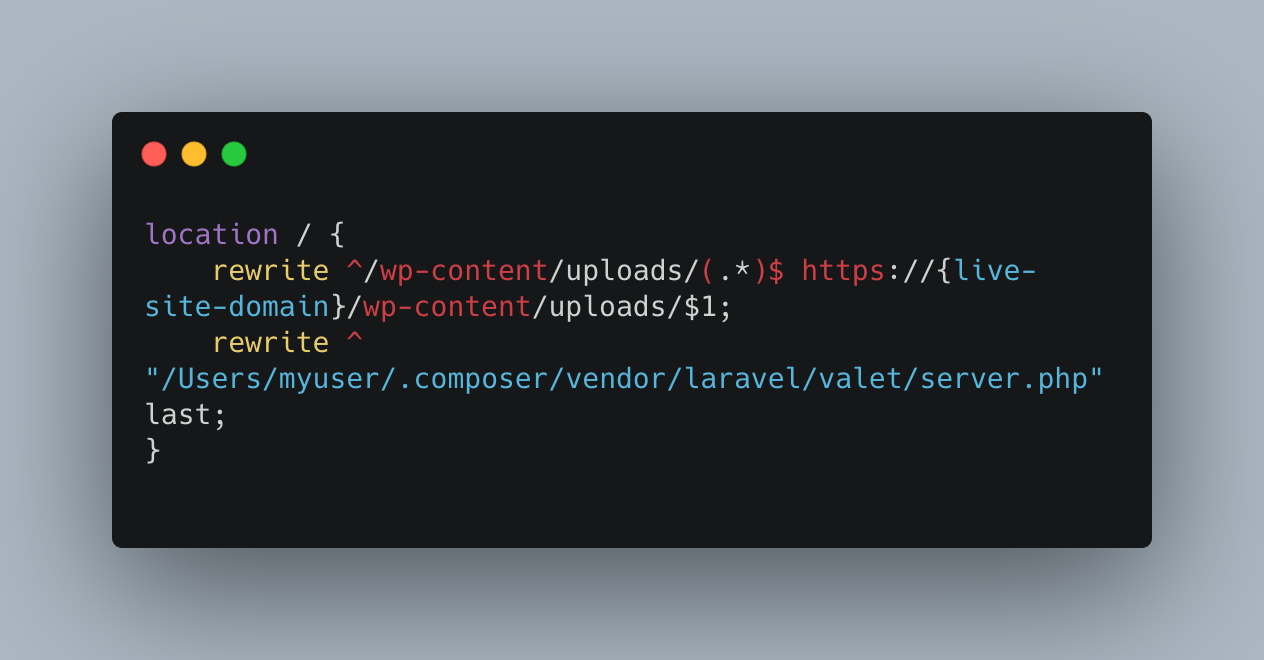
Or if for some reason you need to rewrite all files to the live site instead of just those that are missing, add this in the location / { block, ideally as the first line:

rewrite ^/wp-content/uploads/(.*)$ https://{live site domain}/wp-content/uploads/$1;

Apache

Add this line to the .htaccess file:

RewriteRule ^wp-content/uploads/(.*)$ http://{live site domain}/wp-content/uploads/$1 [NC,L]

Notes

  1. If you’re using Laravel Valet: look in ~/.config/valet/Nginx/ for a file with the same name as your site’s domain.
    If you’re using Laravel Herd: look in ~/Library/Application Support/Herd/config/valet/Nginx/ for a file with the same name as your site’s domain.